Product Updates & Innovations

New Features: Up to 50 Programs Capacity and Multilingual Display

New Features Aha Halo Now Stores Up to 50 Programs and Supports Multilingual Display

Aha Halo continues to grow with our community.

From the very beginning, Aha Halo was designed to be a portable wellness companion that could move with you, support your daily routine, and adapt as your needs change. Over time, our program library has continued to expand, and more users around the world have made Aha Halo part of their everyday wellness practice.

Earlier, we released a major software update designed to resolve existing bugs and errors, improve overall usability, and create a smoother experience for Aha Halo users. Now, with this new firmware update, Aha Halo is taking another important step forward.

To access all new features, please make sure your software is updated before updating the firmware.

Haven’t updated your software yet? You can update directly from the software or download the latest version here.

What’s Included in This Update

This firmware update includes two major improvements:

1. Aha Halo Can Now Hold Up to 50 Programs

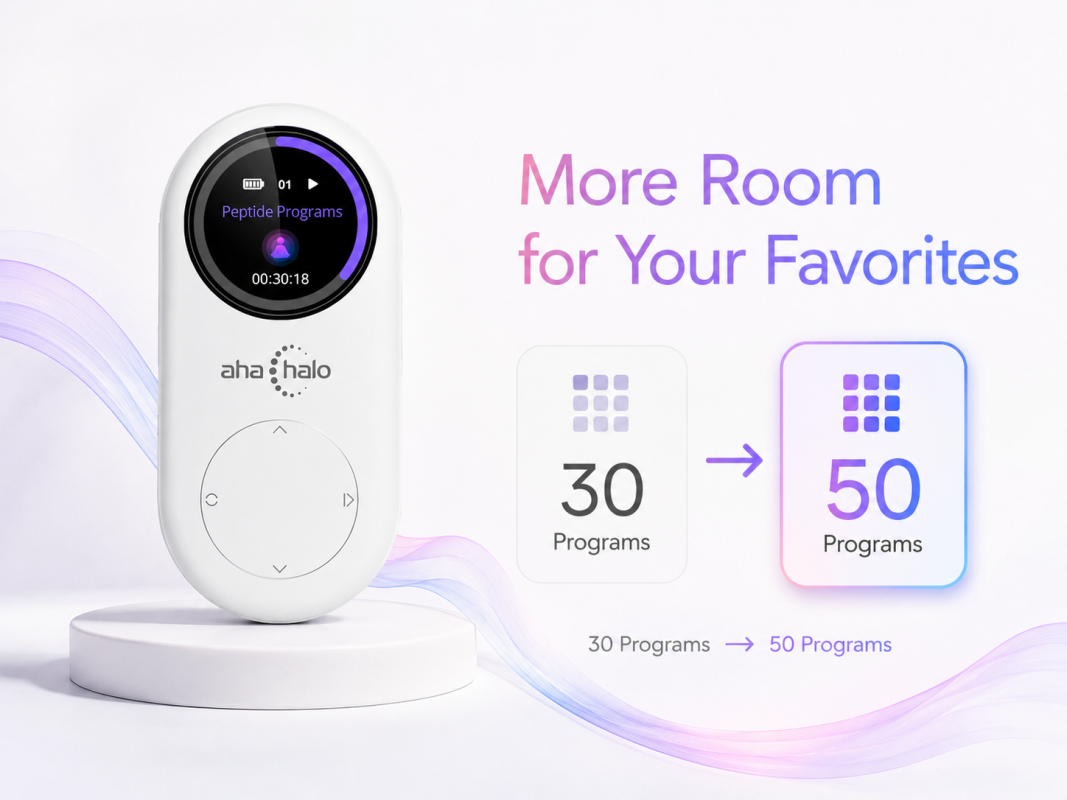
Previously, Aha Halo could store up to 30 programs on the device. With this new firmware update, that capacity has increased to 50 programs.

This gives you more room to keep your favorite programs ready to use, without needing to swap them as often.

More Room for Your Favorites
Multilingual Display Support

2. Multi-Language Display Support

This update also adds multi-language display support for both the Aha Halo device and the Aha Halo software.

Supported languages include:

English, French, German, Spanish, Italian, and Dutch.

This makes Aha Halo easier to use for more people around the world. Whether you are more comfortable navigating in English or prefer another supported language, the updated experience is designed to feel more familiar and accessible.

Important: Please Update Your Software First

Before updating your Aha Halo firmware, please make sure your Aha Halo software has been updated to the latest version: Version 480.

This is an important step. To get the full hardware benefits of the new firmware update, your software and device need to work together properly. Updating the software first helps make the firmware upgrade process smoother and ensures the new features can be fully supported.

You can update your Aha Halo software in either of the following ways:

Option 1: Update from Inside the Software

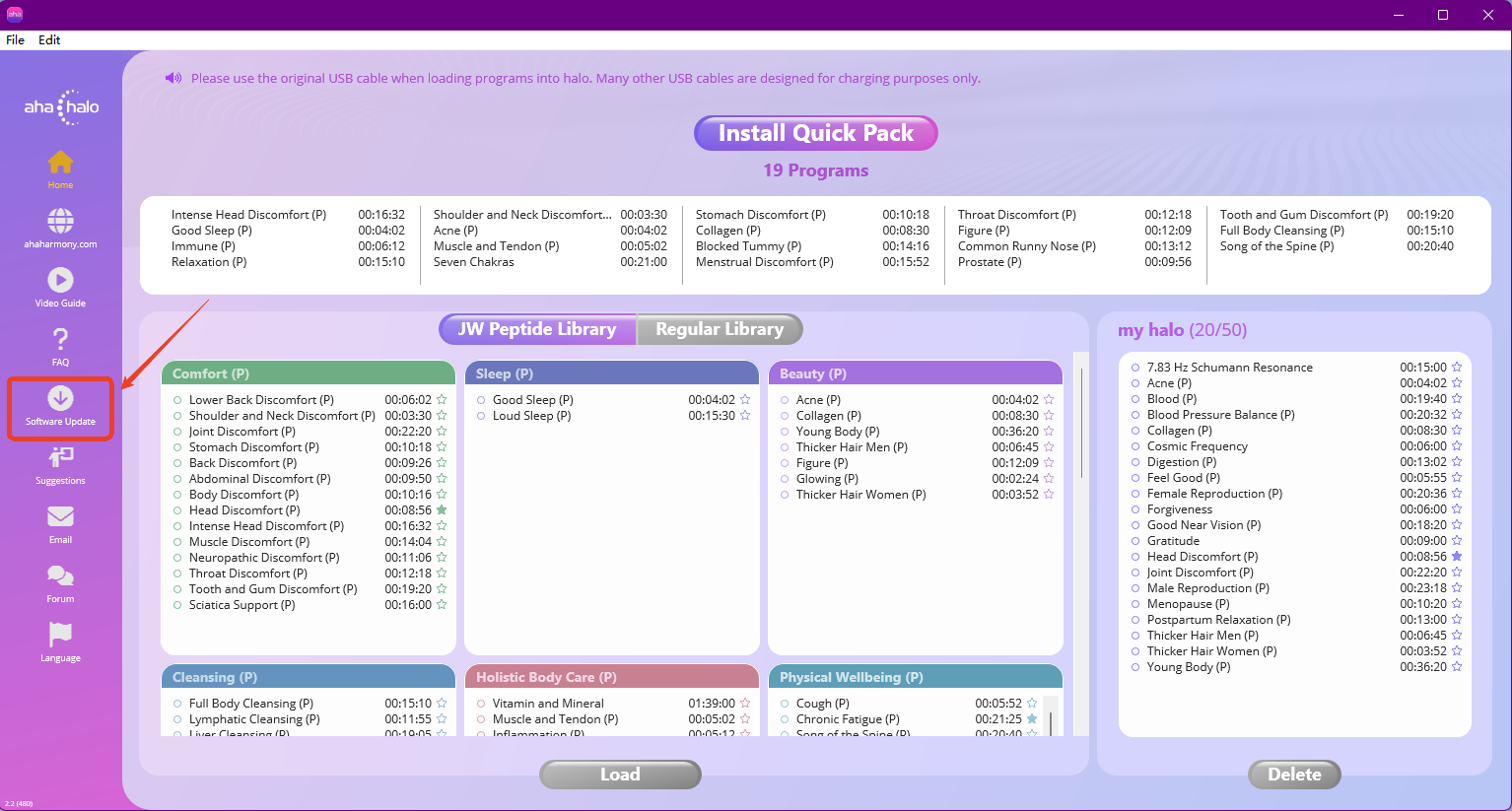
You can open the Aha Halo software and click the Software Update button inside the software interface to get the latest version.

software update

Once your software has been updated to Version 480, you can move on to the firmware update.

Option 2: Download the Latest Software from the Website

You can also visit the Aha Harmony website and download the latest version of the Aha Halo software directly.

How to Update Your Aha Halo Firmware

You Can Update Firmware Directly Through the Aha Halo Software

After you have updated the software to Version 480, connect your Aha Halo device to your computer and use the firmware update button inside the software.

Important: Before you begin, make sure your computer has a stable internet connection. This helps prevent the firmware download from getting stuck or interrupted.

Basic Steps

  1. Open the latest Aha Halo software.
  2. Connect your Aha Halo device to your computer.
  3. Click the firmware update button inside the software.
  4. Follow the on-screen instructions.
  5. Once the update is complete, restart the software and reconnect your Aha Halo.

Having Trouble Updating Your Firmware?

If your Aha Halo gets stuck, shows a black screen, or the firmware update does not finish, use the video guide below to put your halo back into Firmware Update mode and complete the installation. Choose the video that matches your order date: before or after July 25, 2025.

Firmware Recovery Guide
Orders Placed Before July 25, 2025

Firmware Recovery Guide
Orders Placed After July 25, 2025

Want a guided walkthrough of the latest Aha Halo firmware update? Join our upcoming live training session and learn how to update your device, explore the new 50-program capacity, and make the most of multilingual display support.

  • Live Training Time: June 2, 2026 at 9:00 AM UTC+8
  • Guests: John White
  • Live Platforms: Zoom & YouTube

Why This Free Upgrade Matters

This update is not just about adding more program space or more languages. It is about making Aha Halo more useful in real life.

Whether you’re a new user or have been with us for a while, you can enjoy these new features at no extra cost.

Aha Harmony has always grown through community feedback. Every suggestion, question, and shared experience helps us understand how people are using Aha Halo in everyday life. This firmware update is part of our ongoing commitment to making Aha Halo better, easier to use, and more supportive for the people who rely on it as part of their wellness routine.

Join our Aha Harmony community and share your experience with other Aha Halo users. Your feedback helps us continue improving the product and supporting the community.

Leave a Reply

Your email address will not be published. Required fields are marked *