
Software Update Center
Software Update Center
Aha Halo continues to grow with you – expanding its libraries, refining its organization, and making it easier than ever to access the programs you need.
JW Peptide Library and Regular Library
In honor of Aha Harmony’s first anniversary, we’re launching our most significant software upgrade to date.
Following eight years of dedicated research, John White and his team have enriched the Peptide Program Library, unlocking an entirely new realm of potential for Aha Halo.
Two Distinct Libraries
The software is now divided into two categories:
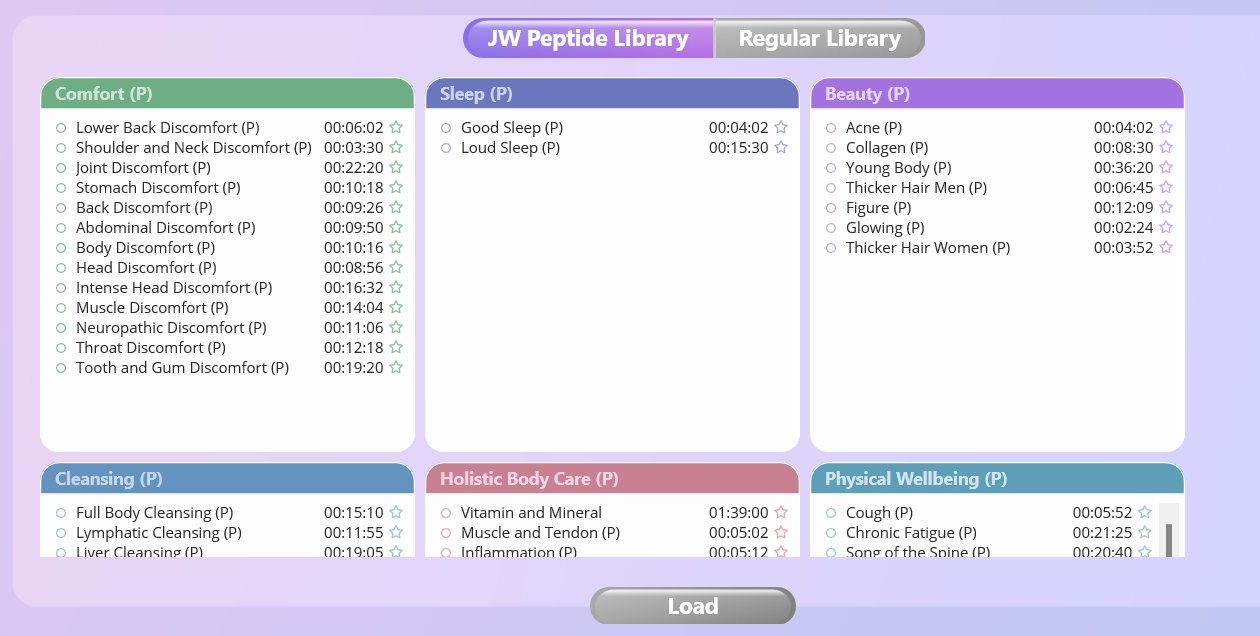
The JW Peptide Library and the Regular Library. Both libraries address the same health conditions, but they differ in their approach.
Regular Library
Our curated collection of pure frequency programs, each thoroughly tested for effectiveness. It features over 200 top-rated programs organized across 12 categories, making it simple to findexactly what you need.
JW Peptide Library
Specialized peptide programs designed to target specific health challenges at the cellular level. These programs are clearly marked with (P) at the end of their names. Important note: The following categories do not include any Peptide programs: Energy Pathways / Spiritual Wellbeing / Solfeggio
How to Access New Programs
1. Connect your Aha Halo to the Computer.
2. Start your Aha Halo software.
3. Find the new programs added to your library.
(If they don’t appear, press “Alt” (Windows) or “Option” (Mac) and click “Software Update” in the left menu.)
Note: You have to quit the software before running the installer for a new version. The update will fail, and the software may not work if you ignore the warning.
If your software still cannot be updated to the latest version, click here.
Note: It is not necessary to deinstall an old version if you use the installer to update. But the app must be quit before installer can run.
FAQ
Do I need to repurchase programs?
No, you do not need to repurchase any programs. All existing programs — as well as all future updates — are completely free.
Will my old programs disappear?
No, your existing programs will not disappear. All regular programs can still be found in the Regular Library.
Is the update free?
Yes, all updates are completely free. If you experience any issues during the update process, please contact our support team at support@ahaharmony.com
What should I do if the update fails?
1.Update through the Aha Halo Application as Administrator
Run Aha Halo application as administrator and press “Alt” (Windows) or “Option” (Mac) and click “Software Update” in the left menu.
2.Reinstall via Official Website Package
You can also download the latest installer package from our official website ( Software Download – Aha Harmony ) and perform an installation (The app must be quit before installer can run.).
